


Second Number for Call & Text
4.387.05K Reviews
App Specs
- Version
- 6.5.2
- Updated On
- License
- Free
- Downloads
- 50,000,000+
- Developer
- Dingtone Phone
- Categories
- Social
- Platform
- Android
Screenshots

 Analysis by AppCompare
Ever been in a situation where you wished you had another number to handle your calls and texts? Maybe you're juggling a side gig, or just want to keep your personal life separate. Well, I recently stumbled upon Second Number for Call & Text, and let me tell you, this app is a game-changer for anyone needing an extra line without the hassle of getting a new phone.
Before I’d rely on a second line for anything important, I’d think about what I need it to do day to day. A separate number can make it easier to set boundaries, but it is not the same thing as owning another handset with its own SIM. You still need to manage the app alongside your regular phone service, and I’d treat the extra number as a practical communication tool rather than a complete replacement for a primary mobile account.
That distinction matters if you are planning to use it for work. A second number can help keep client calls away from family conversations, but it will not automatically organize your schedule or decide when you are available. I’d set a clear routine for checking it, and make sure important contacts know which line is best for urgent matters. For casual projects or a small side business, that separation can be useful without making your everyday phone life more complicated.
Why You Might Need a Second Number
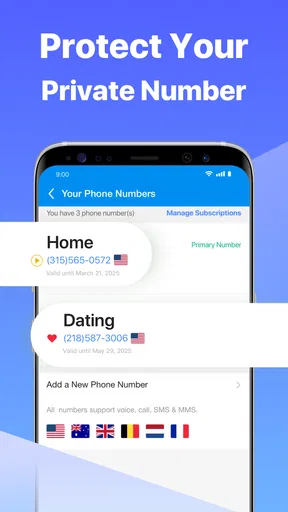
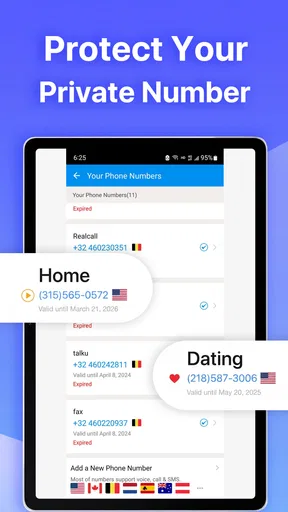
First off, having a second number is like having a secret identity for your phone. It’s incredibly useful for online dating, selling stuff online, or even for work purposes. You know those times when you don’t want to give out your personal number but need to stay in touch? That’s where Second Number for Call & Text comes in handy.
A realistic example is selling a desk or a bike online. I’d use the extra number for conversations with interested buyers, arrange a time and place, and avoid giving a stranger my everyday contact details. Once the sale is over, I could stop using that line for new listings. It is a small boundary, not a promise of complete anonymity: I would still avoid sharing home addresses, account codes, or other sensitive information in a call or text.
For dating, the same idea works best as a gradual-contact option. It lets you keep an initial conversation separate from the number your friends and family already use, but it should not be treated as a safety guarantee. I’d still trust my judgment, avoid sending personal details too quickly, and move the conversation to my main line only when I felt comfortable. People who need a number for highly sensitive or official communication may be better served by a dedicated service designed for that specific purpose.
Features That Stand Out
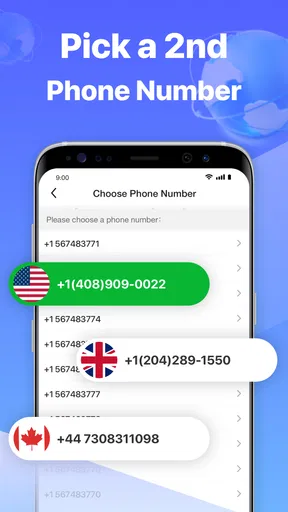
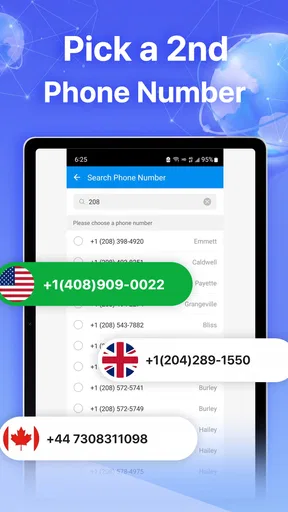
The app is packed with features that make managing calls and texts a breeze. You can choose your number from different area codes, which is super handy if you're trying to maintain a local presence. I found this particularly useful when reaching out to clients across different states.
Worth Reading Before You Choose

EA SPORTS FC Mobile 26 Is a Bigger Football Game, but It Takes Time

Flipboard Shows What News Apps Must Do Beyond the Feed

Switching to Android Auto Means Rethinking Your Driving Routine

Google Calendar Makes a Crowded Week Easier to Manage

Ludo King Makes the Most of the Minutes Between Plans

Baby Panda World Brings Quick Play to Modern Phones, but Its Game Library Feels Busy
Area-code choice is most useful when there is a real reason to appear local, such as contacting customers in a region where you already do business. I would not choose an area code just to imply that I live somewhere I do not; that can create confusion and undermine trust. Before sharing the number widely, I’d test it with a familiar contact and check that the call and text workflow feels clear on both ends.
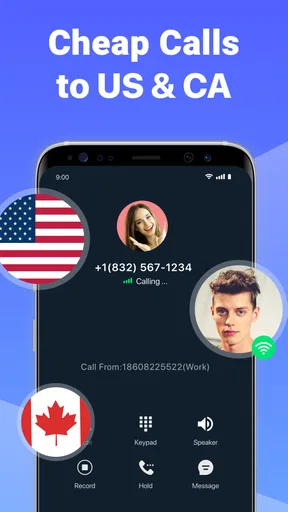
Another cool feature is the ability to customize voicemail greetings for your second number. This means you can keep your professional and personal communications distinct, which is pretty neat if you ask me. Plus, the app allows you to send texts and make calls just like you would with your primary number, but without the need for an additional SIM card or phone.
A separate greeting is more than a cosmetic touch. If I use the line for occasional client enquiries, a concise greeting can tell callers they have reached the right place without making my personal voicemail sound like a business desk. I’d keep the message neutral enough to remain useful if the number’s purpose changes. I would also check the greeting after changing how I use the line, since an outdated message can make a second number feel less dependable than it is.
One trade-off with app-based calling is that I would not assume it behaves exactly like a carrier line in every situation. If I am expecting a time-sensitive call, I’d keep the app accessible and make sure I understand where incoming calls appear. For a conversation where dependable reachability is essential, my usual number or a dedicated business phone setup may be the safer choice. The extra line is most compelling when flexibility and separation matter more than having a completely independent device.
Easy to Use Interface
One thing I absolutely loved about the app is its user-friendly interface. It’s designed in such a way that even if you’re not tech-savvy, you’ll easily navigate through it. The setup process is quick and painless, and you’ll have your second number ready to go in no time.
Once the number is active, I’d make the first few minutes a small setup check rather than immediately giving it to everyone. Send a test text to someone you know, place a short call, and listen to the voicemail greeting. That simple routine helps catch mix-ups, especially if you are switching between personal and work conversations quickly. I’d also make a habit of checking which number is selected before sending a message; a second line only helps keep boundaries if I use the intended line consistently.
The app is developed by Dingtone Phone and sits in the social-app space, although its practical appeal is less about browsing a feed and more about communicating through a separate number. It is free to download, has an Everyone age rating, and has been available since July 12, 2013. Its current version is 6.4.9, with Android 7.0 listed as the minimum operating system. That makes the compatibility detail worth checking before installing on an older device.
At a glance, the app has a 4.3 average from around 677,000 ratings, with more than 10 million installs. Those figures suggest that many people have tried it, but they cannot tell me whether it will suit my particular calling habits. I’d judge it by whether the second line is easy to keep separate and whether its calling and texting fit the way I actually communicate.
The app also supports call forwarding, which means you can direct calls from your second number to your main line, ensuring you never miss important calls. This feature is a lifesaver, especially when you have important business calls coming through.
Forwarding can be handy when I am away from the app or want calls to reach the phone I already monitor. But I would not assume that forwarding solves every availability problem: I’d test it before depending on it, and decide whether I want all calls forwarded or prefer to check the second line directly. For a side project, that choice can be a useful boundary. For example, I might forward calls during working hours and let the second line handle the rest of my communication separately.
Privacy and Security
When it comes to apps like these, privacy is a big concern. The developers of Second Number for Call & Text have clearly put a lot of thought into this. The app keeps your data secure and doesn’t share your personal information without your consent. It's reassuring to know that your information is safe, especially in today’s digital age.
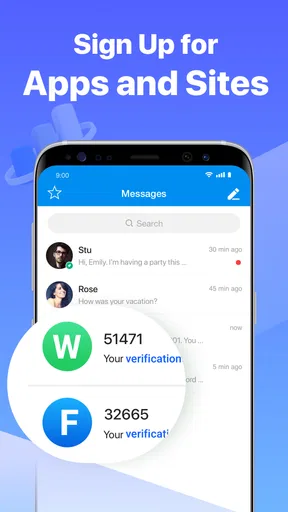
I would still be careful about treating a second number as a privacy shield. It can reduce how often I hand out my main number, which is useful, but I would not use it to send passwords, financial details, or verification codes unless I had a specific reason to trust the service handling that exchange. A separate contact number is one layer of separation, not a substitute for cautious sharing or strong account security.
Additionally, the app provides you with the option to block unwanted calls and texts. So, if you find yourself getting spammed, you can easily block those numbers and maintain peace of mind.
Blocking is useful after a number begins attracting unwanted contact, but I’d also be selective about where I publish the number in the first place. For an online listing, I might use it only for that listing rather than placing it on every profile or public page. That keeps the line’s purpose clearer and makes it easier to decide what to do if nuisance messages become a problem.
Compared with using a second physical phone, an app-based number is easier to carry because it avoids another handset and SIM. Compared with simply giving out my regular number, it offers a clearer boundary. The trade-off is that a physical second phone gives a more obvious separation between devices, while a regular carrier line may be more familiar for people who need one dependable number for every situation. I’d choose based on whether convenience or independent hardware matters more to me.
Cost and Value for Money
Now, let’s talk about the cost. The app offers various subscription plans, which I found to be quite reasonable considering the features you get. You can opt for a monthly plan, or go for the annual subscription to save a few bucks. In my opinion, the price is worth it for the convenience and privacy it offers.
The verified cost picture is simpler than that description suggests: the app is free to download, and it offers in-app purchases ranging from $0.99 to $59.99 per item. I would not treat that range as a specific subscription menu or assume it tells me which purchase is right for my use. Instead, I’d start with the free access, check what I can do before paying, and look at the exact purchase details presented in the app before committing.
That makes the value question personal. If I only need a separate contact number for a short-lived project, free access may be enough to decide whether the setup suits me. If I plan to rely on it regularly, I’d compare the purchase options shown in the app with how often I expect to call and text. The lower end of a price range does not by itself establish the total cost of ongoing use, so I would avoid buying on the assumption that one small payment covers every future need.
Plus, there’s a free trial available, so you can give it a test run before committing to a subscription. This is great if you’re on the fence and want to see if it’s the right fit for you.
I would not plan around a trial unless the current offer is clearly shown to me in the app. A more dependable approach is to begin with what is freely available, then review the purchase terms before confirming any paid option. If I am choosing the app for an important work line, I’d make that decision only after I have checked the day-to-day call and text flow, not just because the initial download costs nothing.
Final Thoughts
Overall, Second Number for Call & Text is a fantastic app for anyone in need of an additional number. Whether you’re using it for business, personal, or any other purpose, it covers all the bases. The app is reliable, easy to use, and comes with a slew of features that make managing two numbers seamless.
I’d recommend it most to someone who wants a practical buffer between everyday contacts and a particular activity: a small freelance project, local sales, or early conversations with new people. I would be more cautious about recommending it as the only contact channel for a business that cannot afford missed calls, or for someone who needs a strict separation between work and personal devices. In those cases, a dedicated business line or a second handset may be a better fit.
If you’ve been on the hunt for a way to keep your communications organized without breaking the bank or carrying an extra phone, I’d say give this app a shot. It’s a smart solution that offers both functionality and peace of mind, all packed in a simple app. So go ahead, hit that download link, and see how it can work for you!
My practical verdict is to try it when the convenience of keeping another number on the phone you already carry is the main goal. Keep expectations grounded: the app is free to download, but paid items are available, and the right value depends on what you actually need from the extra line. If you want a lightweight way to separate casual calls and texts, it is worth considering; if you need guaranteed reachability, stronger device-level separation, or a clearly predictable ongoing cost, I’d compare other options first.
Pros
- Easy setup and user-friendly interface.
- Affordable subscription plans available.
- Supports both call and text features.
- Reliable call quality and text delivery.
- No need for an additional SIM card.
Cons
- Limited customer support options.
- Ads in the free version can be intrusive.
- Some features require a premium account.
- Occasional app crashes reported by users.
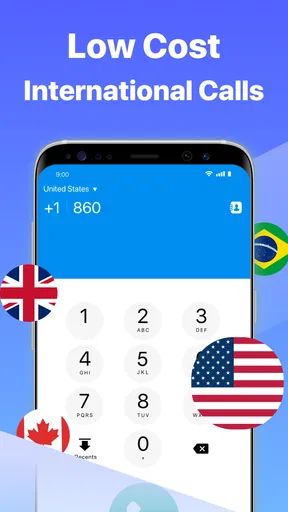
- International calls may incur extra charges.
FAQs for Second Number for Call & Text
What is Second Number for Call & Text?
Second Number for Call & Text is an app that allows users to have an additional phone number on their device. This is particularly useful for separating personal and professional calls and messages. It offers features like voicemail, call forwarding, and text messaging without needing a second SIM card.
How does Second Number for Call & Text work?
The app works by generating a virtual phone number that can be used in conjunction with your existing number. Users can choose their area code and customize settings to suit their needs. The app routes calls and texts through this virtual number, keeping your primary number private.
Is Second Number for Call & Text secure?
Yes, the app is designed with user privacy in mind. It provides end-to-end encryption for messages, ensuring that your conversations remain private. The app also offers features like call blocking and number masking to enhance security and privacy further.
Are there any subscription fees for using Second Number for Call & Text?
The app typically offers a free trial period, after which users can choose from various subscription plans based on their needs. These plans may include monthly or yearly options, providing flexibility depending on how often you use the additional number.
Can I use Second Number for Call & Text internationally?
Yes, Second Number for Call & Text can be used internationally. However, it's important to check the app's terms and conditions, as international usage might incur additional charges. Make sure to review any potential fees for international texts and calls before using the service abroad.


